Marketing

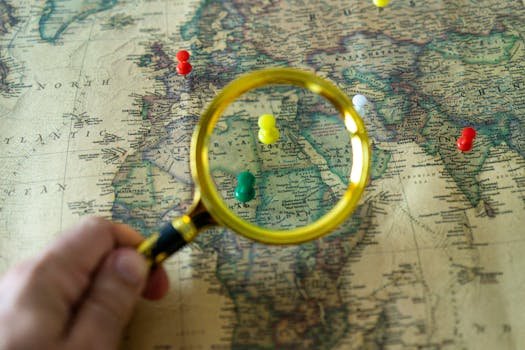
Close-up of a hand holding a magnifying glass over a world map with colorful pins indicating travel destinations.

How to do geo tagging for Photos & Website

Geo tagging is the process of adding geographical identification metadata to various media such as photographs, videos, websites, or social media posts. This data usually consists of latitude and longitude coordinates, but can also include altitude, bearing, and place names. Read below “how to perform geotagging across different platforms and devices.” 1. How to Geotag Photos Most modern devices do this automatically, but you can also add tags manually. On Smartphones (Automatic) On Desktop (Manual) If you have an image without location data, you can add it using software: 2. How to Geotag on Social Media Social platforms use geotagging to help users discover content based on where it was filmed or posted. 3. How to Geotag a Website (Local SEO) For businesses, geotagging your website helps search engines like Google understand where you are located, improving your “Local SEO.” 4. How Geotagging Works (The Technical Side) Geotagging relies on the Global Positioning System (GPS). When you take a photo or “check in,” the device communicates with satellites to determine your coordinates. This data is stored in the EXIF (Exchangeable Image File Format) data of the file. This hidden metadata stays with the file even when you move it from your phone to a computer. 5. Important: Privacy Considerations While geotagging is great for organization and marketing, it can be a privacy risk: Since we’re focusing on Local SEO (how Google finds your business), adding a small piece of code called Schema Markup to your website is the most powerful way to “geotag” your digital presence. It tells search engines exactly where you are located in a language they understand. 1. The “Magic” Code (JSON-LD) You should place this code in the <head> section of your website or at the bottom of your homepage. It doesn’t show up for users, but Google reads it instantly. 2. How to Get Your Exact Coordinates To fill out the latitude and longitude fields in that code, follow these steps: 3. Geotagging Your Images for the Web When you upload photos of your business to your website, Google “reads” the metadata of those images to verify your location. 4. Why This Helps Your Ranking Think of Google as a librarian. If you just say “I’m a plumber,” Google puts you in a giant pile with every other plumber. When you use the code above and geotag your images, you are giving the librarian a map. Now, when someone nearby searches for “plumber,” Google can confidently move you to the top of the Map Pack (the top 3 results on Google Maps). 5. Don’t Forget the “NAP” In the world of geotagging, NAP stands for Name, Address, and Phone Number. Adding geotags to your photos before uploading them to your Google Business Profile (formerly GMB) is a smart strategy. It helps Google verify that your business is actually where you say it is, which can improve your rankings in local search results. Here is the process to do this effectively: 1. How to Geotag Your Photos Since most professional cameras and some desktop uploads strip location data, you often need to manually “bake” the coordinates into the image file (EXIF data). Using Online Tools (Easiest for a few photos): Using Desktop Software (Best for bulk): 2. Best Practices for Google Business Profile Photos Google’s algorithm is smart—it doesn’t just look at the GPS coordinates; it also looks at the “content” of the photo. 3. How to Upload to your Google Profile Once your photos are geotagged and renamed, you should distribute them across two areas of your profile: As Business Photos (The “Gallery”): As Updates (Posts): Why This Works for Your Strategy When you upload a photo with embedded coordinates to a post, you are creating a “local signal.” If you consistently post geotagged photos from your location in Bhopal or Bangalore, Google begins to associate your business name with those specific coordinates more strongly than your competitors. Pro Tip: If you are managing multiple locations, make sure the coordinates you embed match the specific branch address, not just your main office.

How to do geo tagging for Photos & Website Read More »
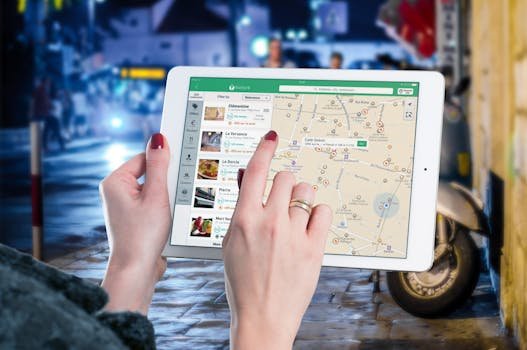
Hands using a digital map on a tablet in an urban setting at night, illustrating navigation and technology.

How to Use Geolocation Targeting to Reach Your Audience More Effectively

Have you ever walked past your favorite coffee shop and suddenly received a notification on your phone for a half-price latte? Or maybe you’ve noticed that when you search for “best parks,” the results are actually places you can drive to in ten minutes, rather than famous parks halfway across the world. This isn’t magic. It is geolocation targeting. In the early days of digital marketing, brands used a “spray and pray” method—sending the same message to everyone and hoping someone would bite. Today, that is a recipe for a drained bank account. If you want to grow your business in 2026, you have to be relevant. And nothing is more relevant than knowing where your customer is standing. In this guide, we’re going to break down everything you need to know about geolocation targeting: what it is, why it’s a game-changer, and how you can start using it today without feeling like a “creepy” stalker. 1. What is Geolocation Targeting? At its simplest, geolocation targeting is the practice of showing different content or ads to people based on their physical location. Think of it as a digital concierge. If a concierge knows you are in Paris, they won’t suggest a great burger joint in New Jersey. They’ll suggest a bistro around the corner. Geolocation targeting does exactly that for your business. Where does the data come from? To make this work, we use several “signals” from a user’s device: By combining these, you can stop treating your audience like one giant blob and start treating them like local individuals. You can change the language of your ad, the currency they see, and even the products you show them based on their local weather or culture. 2. Why Use Geolocation Targeting? If you’re wondering if this is worth the effort, the answer is a resounding yes. Here is why savvy marketers are obsessed with location-based data: It Increases Relevance (The “Hey, That’s Me!” Factor) People are bombarded with thousands of ads every day. Most of them are ignored because they aren’t relevant. But when an ad mentions your specific city or a local landmark, your brain naturally tunes in. It feels personal. Increased relevance leads to higher engagement, which leads to more sales. It Saves You Money One of the biggest mistakes in marketing is paying to show an ad to someone who physically cannot buy your product. If you own a boutique gym in Brooklyn, why would you pay for your ad to show up on the phone of someone in Seattle? Geolocation targeting acts as a filter, ensuring your “ad dollars” are only spent on people who are actually in your “strike zone.” It Boosts Creativity Location data allows you to play with your marketing. You can use geo-fencing (setting up a virtual “fence” around a specific area) or geo-conquesting (targeting people when they are near your competitors). It turns marketing into a strategic game where you are always one step ahead. 3. How to Use Geolocation Targeting You don’t need to be a rocket scientist to start using these tools. Most major platforms like Google Ads, Meta (Facebook/Instagram), and TikTok have these features built-in. Here is a step-by-step roadmap to doing it right: Step 1: Set a Clear Goal Before you touch a single setting, ask yourself: What do I want them to do? * Do you want them to visit your physical store? (Focus on a small radius). Step 2: Pick the Right Tool Different goals require different tools. If you’re a local plumber, Google Local Service Ads are your best friend because they show up when someone nearby searches “plumber near me.” If you’re an e-commerce brand, Social Media ads allow you to target people who live in “affluent neighborhoods” or “university towns.” Step 3: Segment Your Audience Don’t just target “The United Kingdom.” Break it down. Create one ad group for Londoners, another for people in Manchester, and another for the Scottish Highlands. Why? Because the way you talk to someone in a bustling city should be different from how you talk to someone in the countryside. Step 4: Localize Your Creative This is where most people fail. They set the location to “Miami” but use a picture of someone wearing a heavy coat. Step 5: Test and Tweak Marketing is never “one and done.” Run two ads at once—maybe one targeting a 5-mile radius and one targeting a 10-mile radius—and see which one performs better. Use the data to refine your “fence.” 4. Real-World Examples of Geolocation Success Sometimes, it’s easier to understand a concept when you see it in action. Let’s look at three hypothetical (but very realistic) scenarios: The Pizza Chain (The “Hungry Neighbor” Strategy) A local pizza shop wanted to boost Tuesday night sales. They set up a geo-fence in a 3-mile radius around their shop. The Travel Agency (The “Dream Vacation” Strategy) A travel agency noticed that people in cold, rainy climates are more likely to book tropical vacations. They used geo-personalization to show ads for the Bahamas to people currently experiencing a rainstorm in Seattle or London. Meanwhile, people in sunny California saw ads for skiing trips to Switzerland. The Result: Bookings increased by 15% because the ads offered an “escape” from the user’s current environment. The Clothing Brand (The “Weather-Ready” Strategy) A global fashion brand used geo-adaptation. Their website would automatically detect the user’s location. If you visited the site from Sydney in July (Winter), the homepage showed boots and jackets. If you visited from New York in July (Summer), you saw swimwear and shorts. The Result: Their click-through rate (CTR) increased by 10% because users didn’t have to hunt for what they needed. 5. Challenges and Limitations As powerful as geolocation targeting is, it isn’t perfect. You need to be aware of the “potholes” so you don’t crash your campaign. Accuracy Issues Technology can be finicky. If a user is using a VPN (Virtual Private Network), their phone might tell the internet they are in

How to Use Geolocation Targeting to Reach Your Audience More Effectively Read More »

A diverse group working on marketing strategies with charts and laptops in an office setting.

Google Ads Aren’t Working: 5 Simple Steps to Fix underperforming ads

We’ve all been there. You spend time and money setting up an ad campaign, you hit “launch,” and then… nothing happens. No clicks, no sales, just a shrinking bank account. It’s frustrating. You might feel like throwing in the towel or assuming that “ads just don’t work for my business.” But before you give up, remember that an underperforming ad isn’t a failure—it’s just a sign that one piece of the puzzle is missing. You don’t need to be a marketing genius to fix it. You just need to stop, look at what’s happening, and make a few smart “pivots.” Here is how to turn a failing ad into a winner. 1. Don’t Panic—Look at the “Why” When an ad doesn’t work, our first instinct is to delete it. Instead, treat it like a car that won’t start. You wouldn’t throw the whole car away; you’d check the battery or the gas tank. In ads, your “gas tank” is your data. Look at your numbers to find the “leak”: The Pivot: Identify the one specific spot where people are dropping off and focus only on fixing that. 2. Talk to a Smaller Room A common mistake is trying to show your ad to everyone. You might think, “Well, anyone could use my product!” While that might be true, trying to talk to everyone makes your message sound generic and dull. If your campaign is struggling, your audience is likely too broad. The Pivot: Look at who did interact with your ad. Were they mostly women? Were they over 40? Did they live in a specific city? Take what you learned and narrow your targeting. It’s much easier (and cheaper) to sell to 1,000 people who really need you than 1,000,000 people who are just browsing. 3. Refresh Your Look (The “Scroll-Stop” Test) Social media is a busy place. People are looking at photos of their friends, news updates, and memes. If your ad looks like a dry, corporate billboard, people will slide right past it without even realizing it. The Pivot: Try a “creative overhaul.” 4. Double-Check Your “Offer” Sometimes the ad is great and the targeting is perfect, but the “deal” isn’t tempting enough. If you’re asking people to spend money, you have to give them a very good reason to do it now instead of later. The Pivot: If your current offer isn’t moving the needle, try changing the “bait”: Sometimes, just changing how you phrase the offer makes all the difference. 5. Make the Next Step Easy Imagine clicking an ad for a specific pair of blue shoes, but when the website loads, it takes you to a homepage full of shirts, hats, and socks. You’d probably leave, right? If your ads are getting clicks but no sales, your landing page is likely the problem. It might be too slow to load, or it might be asking the customer to do too much work. The Pivot: Make your landing page as simple as possible. When to Walk Away How do you know when to stop pivoting and just move on? A good rule is the “3 Pivot Rule.” If you have changed your audience, refreshed your creative, and improved your offer—and it still isn’t working—it’s okay to shut it down. Not every campaign is a winner, and that’s okay. The goal isn’t to be right the first time; it’s to learn enough from the “fails” so that your next campaign is a massive success. The “Save My Ad” Checklist If your campaign is underperforming, run through these five checks before you hit the “delete” button. Checkpoint The Problem The Fix 1. The Data Check People aren’t seeing or clicking the ad. Check your CTR (Click-Through Rate). If it’s under 1%, your creative is likely the issue. 2. The “Who” Check You’re targeting too many people. Narrow your audience. Focus on the age, gender, or location that is already engaging. 3. The Visual Check Your ad looks like a “boring ad.” Swap polished images for authentic, phone-shot photos or a fast-paced video hook. 4. The Offer Check The deal isn’t exciting enough. Try a “Limited Time” offer, free shipping, or a “Buy One Get One” (BOGO) deal. 5. The Website Check Clicks are high, but sales are zero. Make sure your Landing Page loads in under 3 seconds and matches the ad perfectly. How to use this:

Google Ads Aren’t Working: 5 Simple Steps to Fix underperforming ads Read More »

Greatest Advertising Stunt in history

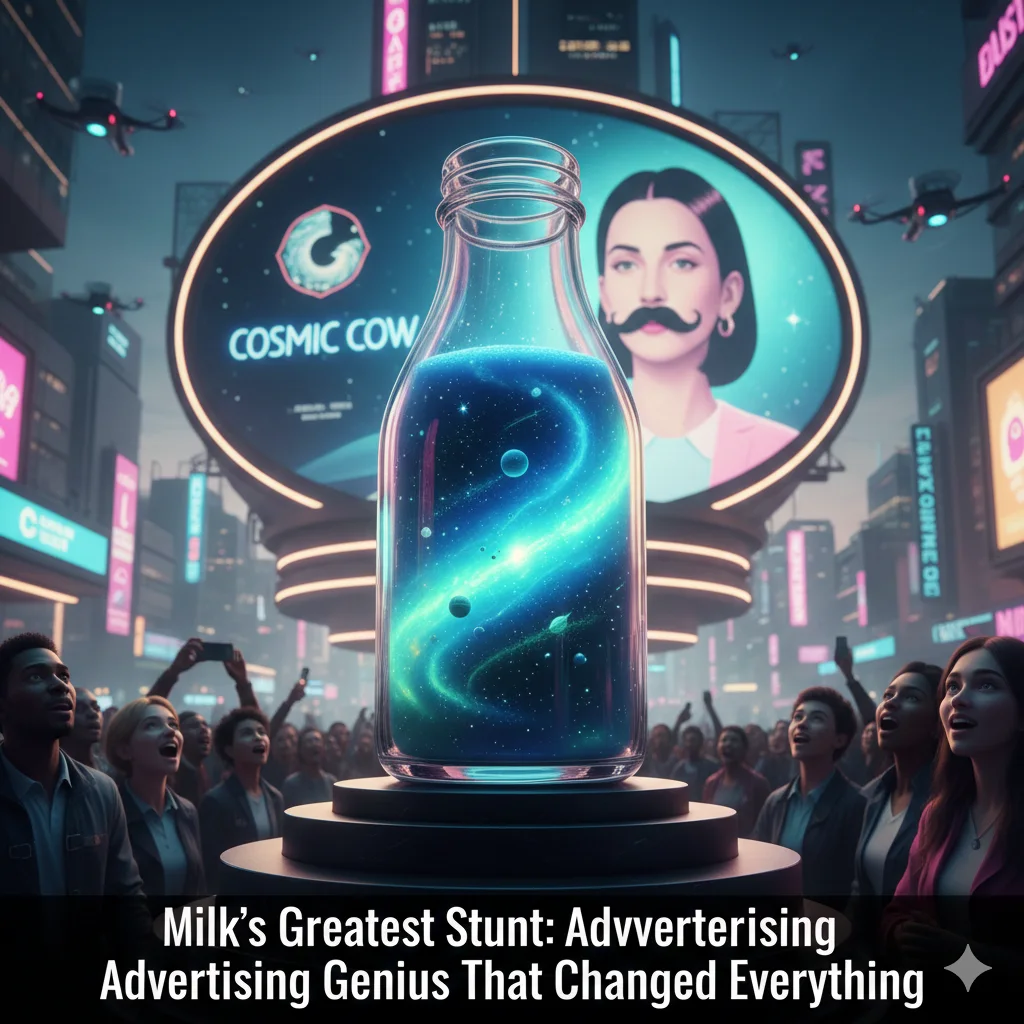
Milk Like You’ve Never Seen It Before: The Greatest Advertising Stunt in History

You’re about to dive into a story that will make you look at your next glass of milk in an entirely new light. Prepare to discover the creative genius behind Milk Like You’ve Never Seen It Before: The Greatest Advertising Stunt in History. It wasn’t just an ad; it was a cultural phenomenon. The Everyday Miracle We Take for Granted Think about milk. What comes to mind? A glass with breakfast, cereal, perhaps a comforting latte. It’s a staple, an everyday item, almost… mundane, right? But what if I told you that this seemingly simple product was once the star of an advertising stunt so brilliant, so utterly groundbreaking, that it didn’t just sell more milk – it redefined an entire industry and became a legend in marketing history? The Problem: A Product in Peril In the early 1990s, the dairy industry faced a significant challenge. Milk consumption was declining. Health trends were shifting, new beverages were flooding the market, and milk, despite its nutritional benefits, was losing its luster. It was seen as old-fashioned, something parents made you drink. How do you make a product that’s been around for millennia exciting again? The California Milk Processor Board (CMPB) had a monumental task on their hands. They needed more than just a catchy slogan; they needed to shake people out of their complacency and remind them why milk was indispensable. Traditional advertising wasn’t cutting it. They needed a shockwave, a campaign that would cut through the noise and make milk relevant again. The Breakthrough Idea: A Masterclass in Human Psychology Instead of focusing on why you should drink milk, the agency Goodby, Silverstein & Partners flipped the script. They asked: “What happens when you don’t have milk?” The answer was brilliantly simple and profoundly relatable. You’re left with a mouth full of cookies, a bland bowl of cereal, or a dry, unsatisfying sandwich. The frustration, the craving, the sudden realization of milk’s vital role – this was the untapped emotion they aimed for. The core insight was that milk wasn’t just a beverage; it was an enabler. It completed other foods. This psychological pivot led to one of the most iconic and effective advertising stunts ever conceived. Got Milk?”: More Than a Slogan, It Was a Stunt! The “stunt” wasn’t just the words; it was the Milk Mustache. By placing a white, creamy mustache on the world’s most famous faces—from Harrison Ford to Serena Williams—the campaign turned a “boring” drink into a badge of honor. It was a visual stunt that played on the “deprivation” strategy. Each ad featured a celebrity in a relatable situation, but with one glaring problem: they were about to eat something delicious, and they had no milk. It forced the audience to ask themselves the same question before they even reached the grocery store: “Do I have enough milk at home?” Why It Worked: The “Deprivation” Marketing Strategy In marketing, we often try to sell the benefits of a product. But the “Milk Like You’ve Never Seen It Before” campaign did the opposite. It sold the fear of missing out (FOMO). The Legacy: A Masterclass in Creative Marketing The results were staggering. In California alone, milk consumption stopped its decade-long decline and actually began to rise within the first year. The campaign ran for over two decades, winning countless awards and becoming a permanent part of the pop culture lexicon. It taught us that even the most “commoditized” products—things like water, salt, or milk—can be reimagined through bold, stunt-based storytelling. The Reader’s Perspective: What Can You Learn? As a reader, you might not be selling milk, but you are likely selling an idea, a service, or a personal brand. The lesson here is simple: Stop selling the features and start selling the “gap.” What is the one thing your audience can’t do without you? Find that “milk-less” moment in their lives, and you’ve found your greatest advertising stunt. You can view the original creative briefs and campaign visuals on the official Goodby Silverstein & Partners portfolio, the masterminds behind this legendary campaign. Conclusion: Is Your Brand “Got Milk” Ready? The greatest advertising stunt in history didn’t involve explosions or million-dollar prizes. It involved a simple white mustache and a profound understanding of the human heart (and stomach). It proved that when you change how people feel about a product, you change how they buy it. What do you think was the most iconic “Got Milk?” ad? Let us know in the comments below!

Milk Like You’ve Never Seen It Before: The Greatest Advertising Stunt in History Read More »

How to Rank AI Content on Google in 2026

How to Rank AI Content on Google in 2026

Introduction to Ranking AI Content In the dynamic landscape of digital marketing, the ability to rank content effectively on search engines is increasingly critical, particularly for AI-generated materials. With advancements in artificial intelligence, content creators are now leveraging AI to produce high-quality written outputs. However, understanding the nuances behind ranking AI content effectively on Google is essential for anyone looking to maintain visibility in a saturated online environment. Understanding Google’s Latest Policy on AI Content Google’s algorithms have evolved significantly over the past few years, particularly concerning AI-generated content. Historically, search engine optimization (SEO) strategies have relied on manual content creation, but the rise of AI technology has prompted Google to modify its policies. It is vital for content creators to stay informed about these changes, as compliance with Google’s guidelines on AI content is crucial for achieving favorable search rankings. Failure to do so could result in decreased visibility or even penalties for websites utilizing this technology. Furthermore, as the public becomes increasingly aware of AI-generated materials, the demand for transparency and quality content has risen. Consequently, the focus should not only be on generating content but also on ensuring that it meets the expectations of both users and search engines. Factors such as relevance, accuracy, and user engagement play a pivotal role in shaping how AI content is perceived and ranked by Google. Therefore, as we explore the best practices for ranking AI-generated content effectively, it is essential to recognize that this is not just about following guidelines; it involves understanding the underlying principles that govern search engine algorithms. In the subsequent sections, we will delve into specific strategies that can enhance the discoverability and ranking of AI content on Google, ensuring that it reaches the intended audience effectively. As we move forward into 2026, understanding Google’s evolving stance on AI content creation is vital for content creators aiming to improve their search engine rankings. Google has articulated a priority shift towards the quality of content rather than its authorship. This means that whether content is generated by an AI tool or a human author, the determining factor for its visibility on Google remains the substance and relevance it provides to users. Google’s latest policy emphasizes that high-quality content is pivotal in achieving better rankings. This quality encompasses various aspects, including originality, depth, and user intent. The search engine aims to reward content that is informative, engaging, and tailored to meet the needs of its audience. For content creators, this necessitates a deep understanding of their target demographic and the ability to deliver material that resonates with them effectively. Furthermore, Google has implemented sophisticated algorithms that assess the overall quality of content. These algorithms consider user engagement metrics, such as click-through rates and time spent on the page, which further reinforce the importance of creating content that captures and maintains reader interest. Therefore, the implications for writers and marketers are clear: prioritizing high-quality, relevant content is imperative to navigate Google’s rigorous ranking criteria successfully. By producing superior content—whether AI-generated or human-written—creators can enhance their chances of being favorably ranked. The focus should thus be on understanding complex user needs and leveraging data-driven insights to fuel content strategies. As Google continues to refine its policies on AI content, those who adapt their strategies accordingly stand to gain the most in this rapidly changing digital landscape. Exploring E-E-A-T: Experience, Expertise, Authoritativeness, Trustworthiness The acronym E-E-A-T, which stands for Experience, Expertise, Authoritativeness, and Trustworthiness, is a critical framework for evaluating content quality, particularly in the context of AI-generated articles. As Google continues to refine its search algorithms, understanding and integrating E-E-A-T into your content strategy becomes essential for successful ranking. Experience refers to the firsthand knowledge or involvement in the subject matter. This factor underscores the importance of incorporating personal anecdotes or case studies within AI-generated content. Doing so augments the authenticity of the writing while allowing readers to connect with the material on a more personal level. This can be achieved by prompting the AI to include user stories or firsthand accounts related to the topic. Expertise denotes the depth of knowledge in a particular field. For AI-generated content, it is crucial that the information presented is accurate, relevant, and detailed. To bolster expertise, one can program the AI to source information from credible references, including research papers, industry reports, or interviews with subject matter experts. This not only enhances the content’s credibility but also positions it as a reliable source of information. Authoritativeness relates to the reputation of the content creator, be it a website or individual. To strengthen the authoritativeness of AI-produced articles, it is advisable to include credentials or affiliations that highlight the voice behind the content. Furthermore, linking to authoritative sites and ensuring proper citation of sources can contribute to this aspect of E-E-A-T. Trustworthiness is vital in establishing a connection with the audience. This can be fostered by maintaining transparency in the data sources used, providing clear disclaimers, and ensuring that the content adheres to ethical standards. AI tools can be programmed to reflect such integrity through the diligent selection of trustworthy information. Overall, integrating these E-E-A-T principles can significantly enhance the credibility of AI-generated content, helping it rank better on Google and resonate with readers. Step-by-Step Guide to Humanizing AI Text Before Publishing As artificial intelligence continues to advance, it is imperative to ensure that AI-generated content resonates with human readers. This requires a systematic approach to humanizing the text prior to publication. Here are several effective techniques to enhance the relatability of AI-generated material. First and foremost, editing for tone is crucial. AI-generated content often lacks the natural tones that a human touch can provide. Review the text to adjust the tone to better suit your target audience. Whether you aim for a formal, conversational, or friendly tone, it is essential to align the content’s voice with the emotional and psychological context of the readers. Another significant method is integrating personal anecdotes. By weaving in stories or experiences that relate to the

How to Rank AI Content on Google in 2026 Read More »